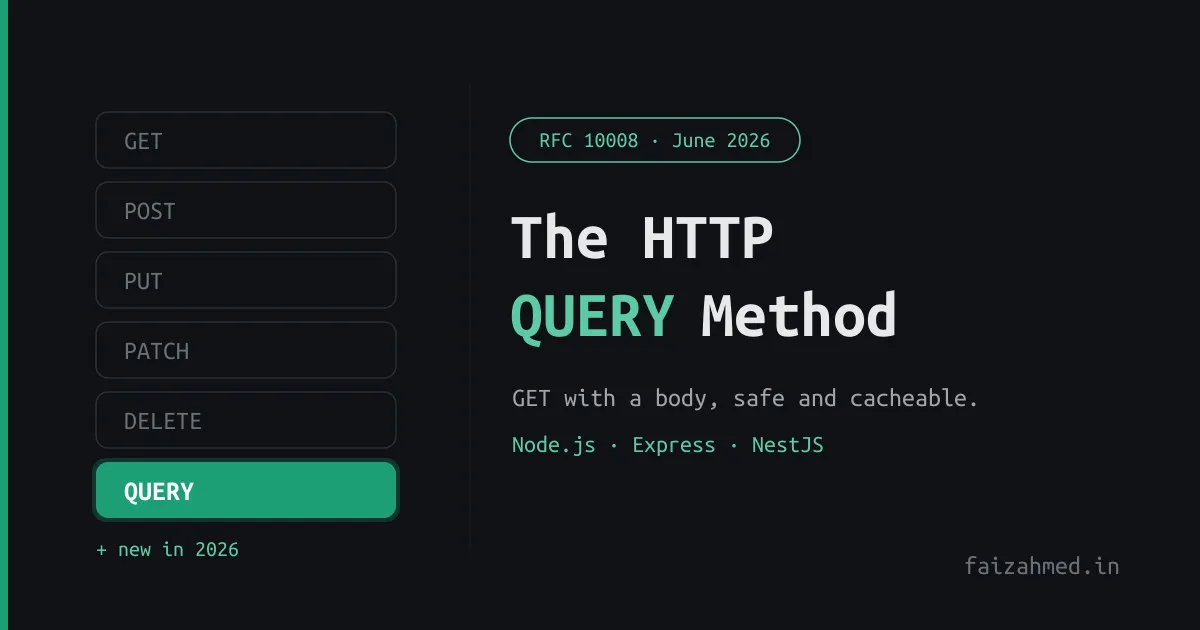
The HTTP QUERY Method: GET With a Body, in Node.js and NestJS
If you have ever built a search or filter endpoint, you have made this uncomfortable choice. Use GET, and your complex filter object has to be crammed into the URL. Use POST, and you are using a method that means “create or change something” for a request that changes nothing.
That dilemma is over a decade old. In June 2026 the IETF finally closed it by publishing
RFC 10008, which standardizes a new HTTP
method: QUERY. In one line, it is GET with a body, done properly.
What QUERY actually is
Per RFC 10008, a QUERY request asks the target resource to process the enclosed
content in a safe and idempotent manner and respond with the result. You send a request
body describing what you want, and the server returns matching results without changing
any state.
That last part is the whole point. QUERY is the only HTTP method that combines a
request body with safe, idempotent, and cacheable semantics:
| Property | QUERY | What it means |
|---|---|---|
| Safe | Yes | Does not modify server state |
| Idempotent | Yes | Can be retried safely after a failure |
| Cacheable | Yes | Responses can be cached, unlike POST |
| Has a body | Yes | The query definition lives in the request body |
| Content-Type | Required | The server MUST reject the request if it is missing |
Why it had to exist
The gap it fills is precise:
- GET is safe and idempotent, but has no defined body semantics. Sending a body with GET is undefined behaviour, and many clients and proxies actively strip or reject it.
- POST carries a body, but is neither safe nor idempotent, so caches and intermediaries cannot optimize it and clients cannot safely retry it.
- Complex queries (GraphQL, JSONPath, structured search filters, large payloads) do not fit in a URL. You need a body. But you also want the request to be cacheable and retriable.
QUERY sits exactly in that gap. Here is how it compares to the methods you already
use:
| Method | Has body | Safe | Idempotent | Cacheable | Primary intent |
|---|---|---|---|---|---|
| GET | No (undefined) | Yes | Yes | Yes | Retrieve by URL |
| QUERY | Yes | Yes | Yes | Yes | Retrieve with a complex body |
| POST | Yes | No | No | No | Create or trigger an action |
| PUT | Yes | No | Yes | No | Replace a resource |
| PATCH | Yes | No | No | No | Partial update |
| DELETE | No | No | Yes | No | Remove a resource |
If you have been weighing REST against gRPC for read-heavy services, this narrows the case where REST felt clumsy: the complex read.
Compatibility, as it really stands
This is where the AI-generated explainers floating around get sloppy, so be precise.
Native QUERY parsing first shipped in Node.js 21.7.2 via the llhttp 9.2 update.
The very early 21.7.x releases had HTTP-parser rough edges, so treat the 22.x LTS line
and newer as the reliable baseline. I confirmed it directly: on current Node a QUERY
request arrives with req.method === 'QUERY' and the body intact, no flags or shims.
| Layer | Status | Notes |
|---|---|---|
| Node.js 22 LTS and newer | Supported | QUERY recognized natively; req.method is 'QUERY' |
| Node.js 21.7.2 to 21.x | First support | Arrived with llhttp 9.2; early parser fixes followed |
| Node.js before 21.7.2 | Not recognized | The parser predates QUERY and rejects it |
| Express | Partial | No app.query() shorthand; use an app.all() guard |
| NestJS | No native support | @Query() already means URL params; a custom decorator is needed |
| fetch / axios | Works | QUERY is not a forbidden method, so both accept it |
| CORS | Preflight | QUERY is not on the safelist (GET/HEAD/POST), so cross-origin calls preflight |
Check your runtime with node -v before you write a line of code.
Part 1: plain Node.js
Because QUERY is a recognized method, the server side needs no tricks. req.method is
simply 'QUERY', and body handling is identical to POST: collect chunks, concatenate,
parse.
// server.js
const http = require('node:http');

const server = http.createServer((req, res) => {
  if (req.method === 'QUERY' && req.url === '/search') {
    let rawBody = '';
    req.on('data', (chunk) => { rawBody += chunk.toString(); });

    req.on('end', () => {
      // RFC 10008: the server MUST reject a QUERY with no Content-Type
      if (!req.headers['content-type']) {
        res.writeHead(400, { 'Content-Type': 'application/json' });
        res.end(JSON.stringify({ error: 'Content-Type is required for QUERY' }));
        return;
      }

      let queryBody;
      try {
        queryBody = JSON.parse(rawBody);
      } catch {
        res.writeHead(400, { 'Content-Type': 'application/json' });
        res.end(JSON.stringify({ error: 'Invalid JSON body' }));
        return;
      }

      const results = performSearch(queryBody);

      // QUERY is safe and idempotent, so caching the response is valid
      res.writeHead(200, {
        'Content-Type': 'application/json',
        'Cache-Control': 'max-age=60',
        'Accept-Query': 'application/json',
      });
      res.end(JSON.stringify({ results }));
    });
  } else {
    res.writeHead(405, { 'Content-Type': 'application/json' });
    res.end(JSON.stringify({ error: 'Method Not Allowed' }));
  }
});

function performSearch(body) {
  const { filter, limit = 10 } = body;
  return { filter, limit, items: ['item1', 'item2'] };
}

server.listen(3000, () => console.log('Server on http://localhost:3000'));
The client side is just as plain. fetch accepts any method string:
// client.js
const response = await fetch('http://localhost:3000/search', {
  method: 'QUERY',
  headers: { 'Content-Type': 'application/json' }, // required per RFC 10008
  body: JSON.stringify({
    filter: { category: 'electronics', inStock: true },
    sort: '-price',
    limit: 20,
  }),
});

const data = await response.json();
Axios has no .query() shorthand yet, so use the generic config form:
axios({ method: 'QUERY', url, headers, data }). And to test from the shell:
curl -i -X QUERY http://localhost:3000/search \
  -H "Content-Type: application/json" \
  -d '{"filter": {"category": "electronics"}, "limit": 5}'
Part 2: Express
Express has no app.query() because that name is already taken for reading URL query
params. The workaround is app.all() with a method guard inside:
// express-server.js
const express = require('express');
const app = express();
app.use(express.json());

app.all('/search', (req, res) => {
  if (req.method !== 'QUERY') {
    return res.status(405).json({ error: 'Method Not Allowed' });
  }
  if (!req.headers['content-type']) {
    return res.status(400).json({ error: 'Content-Type is required' });
  }

  const { filter, limit = 10 } = req.body;
  res.setHeader('Cache-Control', 'max-age=60');
  res.setHeader('Accept-Query', 'application/json');
  return res.status(200).json({ results: { filter, limit, items: ['item1', 'item2'] } });
});

app.listen(3000, () => console.log('Express on port 3000'));
If you have several QUERY routes, wrap the guard in a small helper so the noise lives
in one place:
function queryRoute(app, path, handler) {
  app.all(path, (req, res, next) => {
    if (req.method === 'QUERY') return handler(req, res, next);
    next();
  });
}
Part 3: NestJS, wired up properly
NestJS is the interesting one. There is no @QueryMethod() decorator, and there cannot
be a @Query() one, because @Query() already reads URL query params. So you build it:
a custom route decorator plus a guard that enforces the method and validates
Content-Type. This is the same kind of plumbing I leaned on building the
NestJS microservice with RabbitMQ and PostgreSQL.
The decorator marks a route as QUERY-only and registers it for all methods, leaving the filtering to the guard:
// decorators/query-method.decorator.ts
import { All, applyDecorators, SetMetadata } from '@nestjs/common';

export const IS_QUERY_ROUTE = 'IS_QUERY_ROUTE';

export function QueryMethod(path?: string): MethodDecorator {
  return applyDecorators(
    SetMetadata(IS_QUERY_ROUTE, true),
    All(path),
  );
}
The guard rejects anything that is not QUERY, and enforces the Content-Type rule
from the spec:
// guards/query-method.guard.ts
import {
  CanActivate, ExecutionContext, Injectable,
  MethodNotAllowedException, BadRequestException,
} from '@nestjs/common';
import { Reflector } from '@nestjs/core';
import { IS_QUERY_ROUTE } from '../decorators/query-method.decorator';

@Injectable()
export class QueryMethodGuard implements CanActivate {
  constructor(private reflector: Reflector) {}

  canActivate(context: ExecutionContext): boolean {
    const isQueryRoute = this.reflector.get<boolean>(
      IS_QUERY_ROUTE, context.getHandler(),
    );
    if (!isQueryRoute) return true;

    const request = context.switchToHttp().getRequest();
    if (request.method !== 'QUERY') {
      throw new MethodNotAllowedException('This endpoint only accepts QUERY');
    }
    if (!request.headers['content-type']) {
      throw new BadRequestException('Content-Type is required for QUERY');
    }
    return true;
  }
}
A validated DTO, so the body is type-checked like any other NestJS payload:
// search/dto/search-query.dto.ts
import { IsObject, IsOptional, IsNumber, IsString } from 'class-validator';

export class SearchQueryDto {
  @IsObject() @IsOptional()
  filter?: Record<string, unknown>;

  @IsString() @IsOptional()
  sort?: string;

  @IsNumber() @IsOptional()
  limit?: number;
}
The controller ties it together. Notice @Body() works exactly as it does for POST:
// search/search.controller.ts
import { Controller, Body, Res, UseGuards, HttpCode, HttpStatus } from '@nestjs/common';
import { Response } from 'express';
import { QueryMethod } from '../decorators/query-method.decorator';
import { QueryMethodGuard } from '../guards/query-method.guard';
import { SearchService } from './search.service';
import { SearchQueryDto } from './dto/search-query.dto';

@Controller('search')
@UseGuards(QueryMethodGuard)
export class SearchController {
  constructor(private readonly searchService: SearchService) {}

  @QueryMethod() // handles QUERY /search
  @HttpCode(HttpStatus.OK)
  async search(
    @Body() queryDto: SearchQueryDto,
    @Res({ passthrough: true }) res: Response,
  ) {
    const results = await this.searchService.search(queryDto);
    res.setHeader('Cache-Control', 'max-age=60');
    res.setHeader('Accept-Query', 'application/json');
    return { results };
  }
}
The service and module are ordinary NestJS. Two things not to forget. First, that DTO
only validates if a ValidationPipe is active
(app.useGlobalPipes(new ValidationPipe())); without it, the decorators are inert.
Second, add QUERY to your CORS config, or every cross-origin call will fail its
preflight:
app.enableCors({ methods: ['GET', 'POST', 'QUERY', 'PUT', 'PATCH', 'DELETE'] });The full request path
flowchart TD
  client["Client: fetch / axios / curl<br/>QUERY /search + Content-Type + body"] --> parser["Node.js HTTP parser (21.7.2+)<br/>req.method === 'QUERY'"]
  parser --> router{Framework}
  router -- Express --> ex["app.all() + method check"]
  router -- NestJS --> nest["@QueryMethod() + QueryMethodGuard<br/>validate method + Content-Type"]
  ex --> resp["Body parsed like POST<br/>Cache-Control valid, QUERY is safe"]
  nest --> resp
Known gaps today
The spec is final, but the ecosystem is still catching up:
| Gap | What to do |
|---|---|
| Node before 21.7.2 | Upgrade. There is no parser-level workaround |
| NestJS has no decorator | Use the @QueryMethod() + guard pattern above |
| Express has no shorthand | app.all() with a method check, or the queryRoute() helper |
| CORS preflight | Add QUERY to your allowedMethods |
| Swagger / OpenAPI | No standard tooling yet; document it manually |
| Axios shorthand | None; use axios({ method: 'QUERY', ... }) |
Should you use it
If you have a search or filter endpoint that has been awkwardly living as a POST, QUERY
is the upgrade it was waiting for: a real body for complex filters, plus safe,
idempotent, cacheable semantics that POST could never give you. It pairs especially well
with cursor-based listing, so it is worth revisiting
how you paginate those results at the same time.
One honest caveat on the caching point. RFC 10008 requires a cache to key on the request body, and most shared caches and CDNs do not do that yet. So treat cacheability as something the method now permits, not something your existing CDN will do for you on day one.
It is not a reason to rewrite every endpoint. GET by URL is still right for simple reads. But for the complex read, the decade-long GET-versus-POST compromise finally has a clean answer.